💡Property Mapping Examples
Requirement: Assign Account type property value to the members of the Fusion Application based on the Account Type assigned to the PBCS application.
/* Version History
--------------------------------------------------------------
   Date      | Name  | Notes
--------------------------------------------------------------
   08-Jul-20 | Deven | Initial Version
--------------------------------------------------------------
*/
DECLARE
  c_script_name        VARCHAR2(50)  := 'OF_ACCT_TYPE_PROP_MAPPING';
  PROCEDURE log (p_msg IN VARCHAR2)
  IS
  BEGIN
    ew_debug.log(p_text            => p_msg
                ,p_source_ref      => c_script_name
                );
  END;
BEGIN
  IF ew_lb_api.g_prop_value = 'Asset'
  THEN
    ew_lb_api.g_out_prop_value := 'A';
  ELSIF ew_lb_api.g_prop_value = 'Liability'
  THEN
    ew_lb_api.g_out_prop_value := 'L';
  ELSIF ew_lb_api.g_prop_value = 'Equity'
  THEN
    ew_lb_api.g_out_prop_value := 'O';
  ELSIF ew_lb_api.g_prop_value = 'Expense'
  THEN
    ew_lb_api.g_out_prop_value := 'E';
  ELSIF ew_lb_api.g_prop_value = 'Revenue'
  THEN
    ew_lb_api.g_out_prop_value := 'R';
  ELSE
    ew_lb_api.g_out_prop_value := '';
  END IF;
  ew_debug.log('Set Fusion Account Type to :  '||ew_lb_api.g_out_prop_value);
END;
Configuration
1.Create Property Mapping Logic Script as shown below:
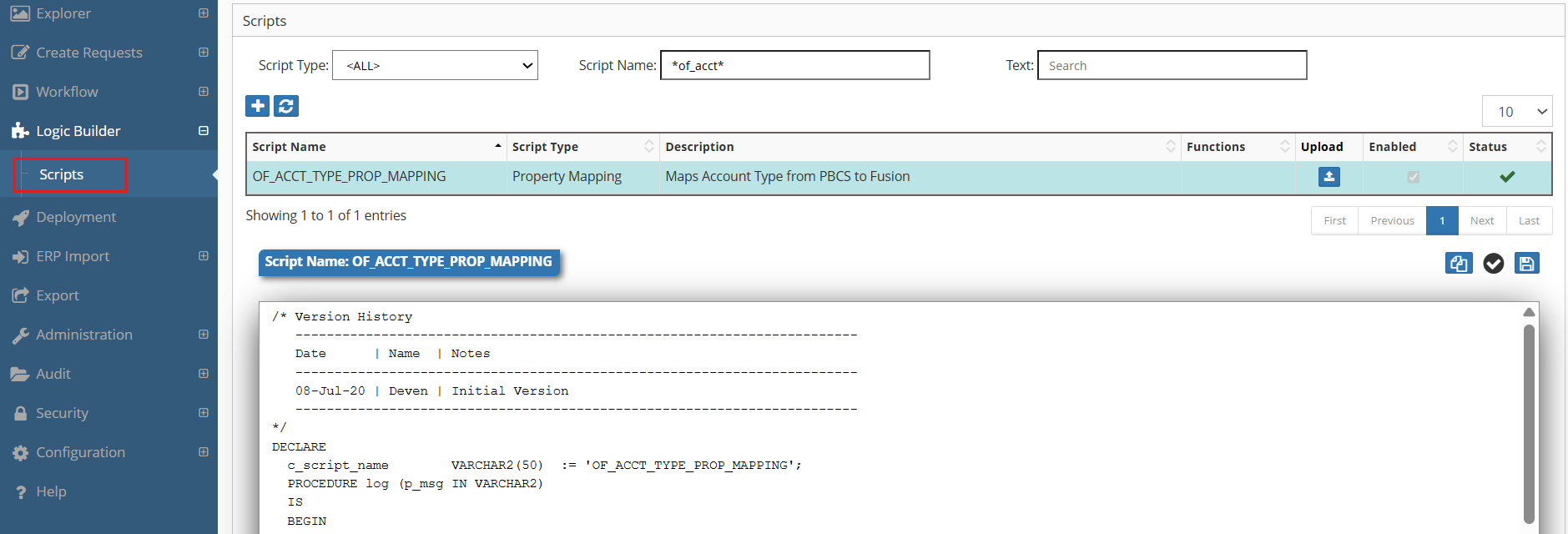
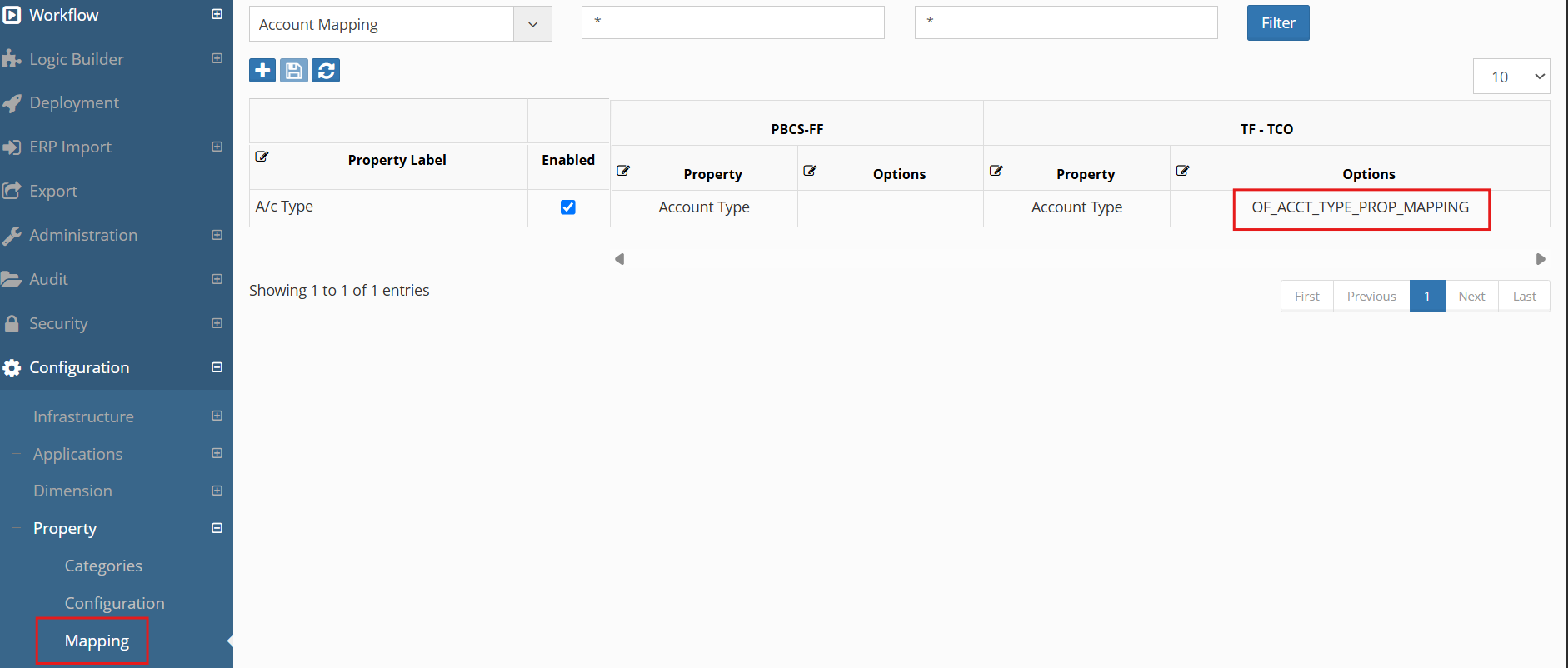
2.Assign this Logic Script in the Property -> Mappings screen as shown below:
Next Steps
- Property Derivations -Property Derivations Details
- API Reference - Supporting functions
- Property Validations - Related validation scripts
Important
Always test property mappings in a development environment before deploying to production.